Setup on the first computer (2)
3. In "The wizard found disconnected network hardware.", the network adapters
not connected to their counterparts in another computer, will be shown on the
list. Check "Ignore disconnected network hardware", then click Next. But if you
only see your Ethernet card on the list, it means your Ethernet crossover cable
hasn't been plugged in firmly to both computers' Ethernet ports or you might use
a wrong cable. In this case, connect the right cable to both computers, leave
the checkbox blank, and click Next.
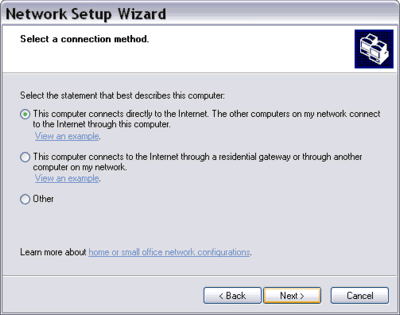
4. In "Select a connection method", select "This computer connects directly to
the Internet. The other computers on my network connect to the Internet through
this computer." Click Next.
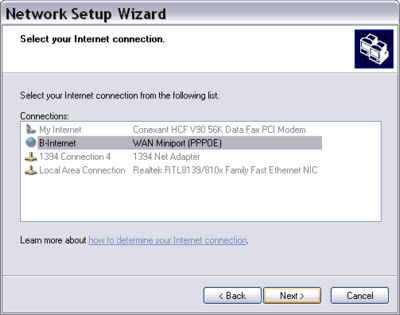
5. In "Select your Internet connection", choose an Internet connection that you
will share. Click Next.
6. In "Select your private connection", choose the Local Area Connection that
corresponds with your Ethernet card (NIC). You may select more than one network
connections here. In such a case, Windows will create a network bridge between
them.
|